Scout the shot without hauling the kit.
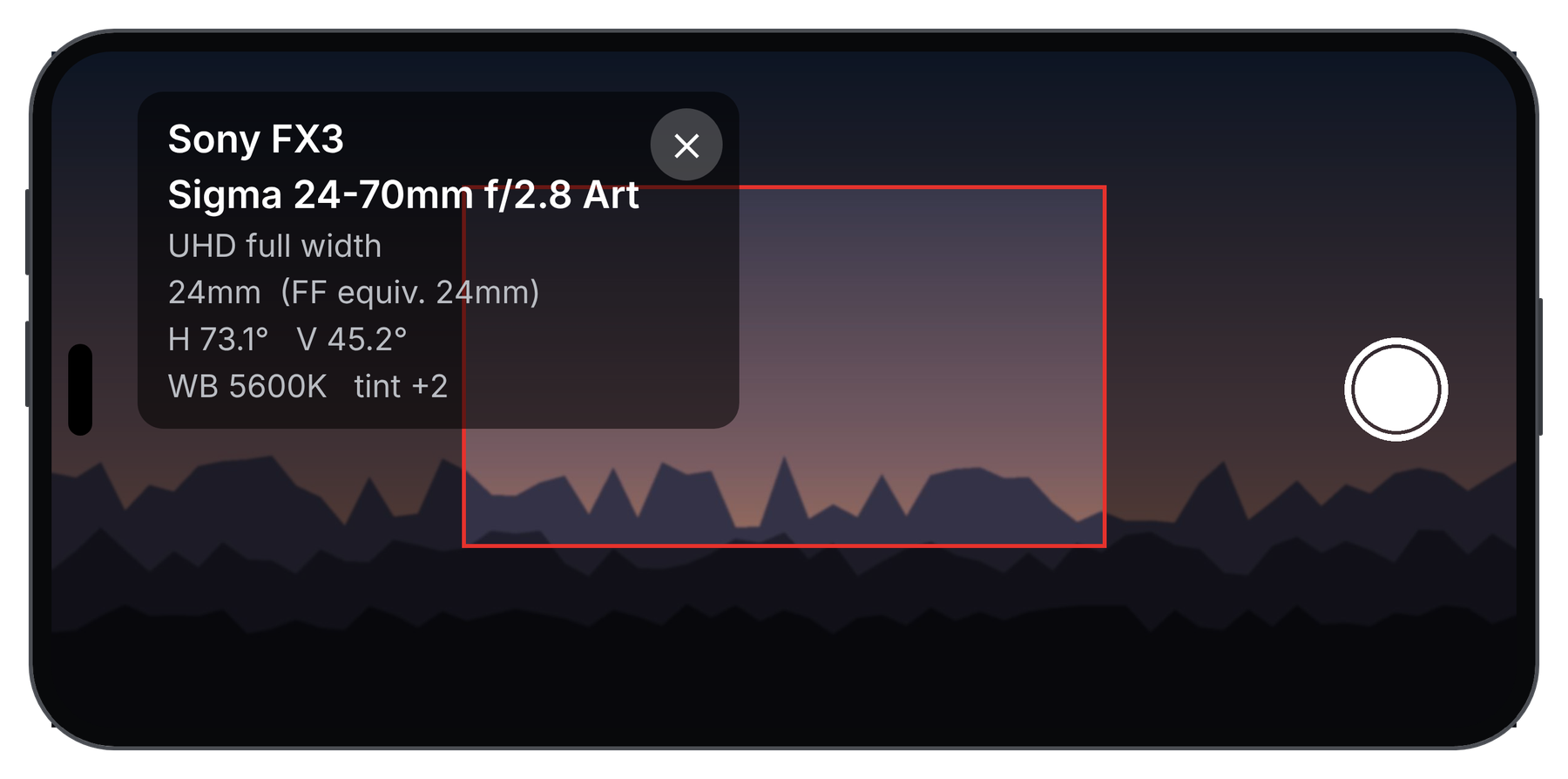
FrameScout puts your cinema camera and lenses in your pocket. Choose the camera and the lens, and a red frame on your iPhone shows exactly what that combination will frame, so you can check a location without unpacking a single case.
Location scouting Interviews Landscapes Concerts Storyboards
Built for iPhone. Works without an internet connection.
Know your shot before you are there to take it.
For video and stills. Anywhere you would otherwise guess which lens to bring.
Location scouting
Walk a location and see each shot before the crew arrives. Find the best camera position while the day is still cheap.
Interview rooms
Check that a room is wide enough for your lens and still leaves space behind the subject, before you book it.
Storyboards and previs
Save framed stills with the camera, lens and focal length printed on them. Send them to a director or client as a shot list.
Landscapes
Decide between 24mm and 35mm at the viewpoint, before you carry the tripod and the whole bag up the trail.
Concerts and live events
Find the spot in the venue where your lens covers the stage, from the pit, the balcony or the back of the room.
Weddings and events
Walk the ceremony site and the reception hall ahead of time, and know which lens you will want at each position.
Real estate and architecture
See whether your widest lens fits a room or a facade from the only spot you can stand.
Renting or buying lenses
Try 35mm, 50mm and 85mm on your own camera's sensor first. Spend money on the focal lengths you will use.
Three taps from idea to frame.
No charts, no spec sheets, no guessing. Set up your gear once and FrameScout does the geometry.
Choose your camera
Pick the body and the recording mode: full sensor, a crop mode, or UHD. FrameScout uses the real recording area, not just the sensor name.
Choose your lens
Browse primes, zooms and anamorphics, or slide through a zoom range. Star your favourites and flip between them with the arrows.
Frame the shot
The red frame shows what your camera and lens will see. Tap the shutter to save a still with the settings printed beneath it.
Made for people who care which lens.
Accurate, with no setup
Pick your camera and lens and the frame is right. Move the focal length on a zoom and the frame follows you.
A deep gear database
121 camera bodies and 477 lenses, from cinema to hybrid. Missing something? Add your own camera or lens in a minute.
Anamorphic ready
1.33x, 1.5x and 2x squeeze change the frame shape as well as the angle, and FrameScout shows both.
Matte and grid guides
Cinema mattes from 16:9 to 2.39:1, plus thirds, centre cross and golden ratio grids, drawn over the live picture.
Stills with the data attached
Camera, lens, focal length, date, white balance and your own note are printed under the picture and written into the file's metadata.
Private by design
Everything runs on your phone. There is no account, no advertising and no tracking.
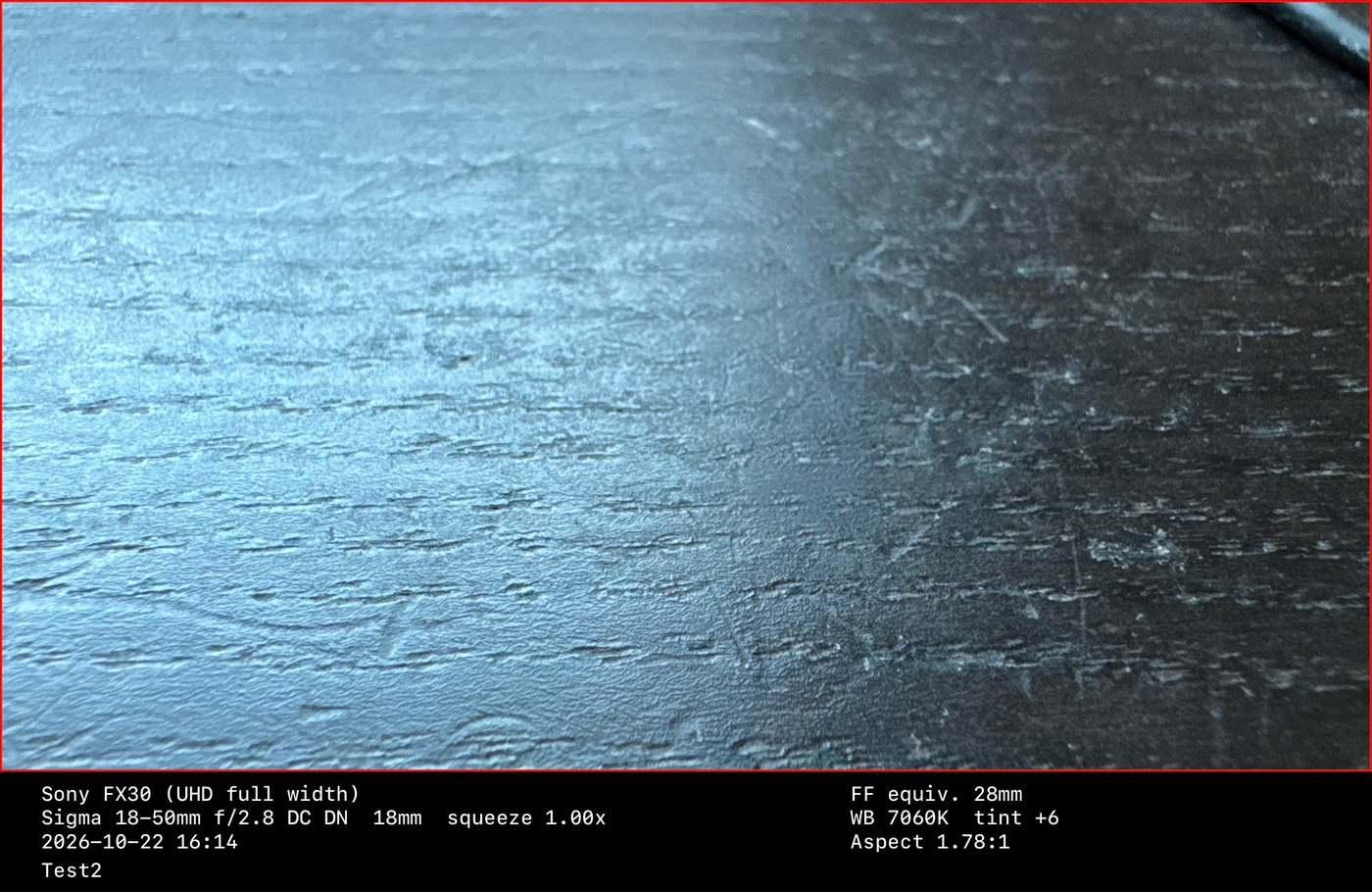
Every still carries its settings.
Take a reference frame on a location recce and you will still know, a month later, exactly what it was meant to show. The picture is cropped to the red frame and saved to your Photos library.
- Camera and recording mode, lens and focal length
- Full-frame equivalent, white balance, frame shape and date
- Your own note, remembered for next time
- The same details written into the file's metadata, with location if you allow it
Your kit is probably already in there.
The database covers cinema, hybrid and phone cameras and lenses from stills, cine and anamorphic makers. Sensor sizes and lens specifications were checked against manufacturer pages and published specifications, and approximations are marked as approximate.
- 121cameras
- 12camera makers
- 477lenses
- 19lens makers
Cameras
Cinema: ARRI, RED, Blackmagic Design, Sony Venice, Burano and FX series, Canon Cinema EOS, Panasonic VariCam and EVA1, DJI Ronin 4D.
Hybrid: Sony Alpha, Canon EOS R, Nikon Z, Panasonic Lumix, Fujifilm X and GFX, Leica, Sigma fp.
Phones: recent iPhone main, ultra-wide and telephoto cameras.
Lenses
Cine: Zeiss, Cooke, ARRI, Angenieux, Fujinon, Leitz, Sigma Cine, Canon CN-E, Tokina, DZOFilm, Samyang Xeen, Laowa.
Stills and hybrid: Sigma, Sony, Canon, Nikon, Panasonic Lumix and Leica DG, Tamron, Samyang, Laowa, Sirui.
Anamorphic: Laowa Nanomorph, Atlas Orion, ARRI Master Anamorphic, Sirui 1.33x.
Not listed? Add your own camera or lens in the app, or tell us what to add.
Questions, answered.
Which iPhones does it work on?
FrameScout was built and tested on an iPhone 15 Pro. It is designed for iPhones with an ultra-wide camera and a main camera, and it adapts to the cameras it finds.
Does it replace testing the real lens?
No. It shows the geometry, meaning the angle of view and frame shape for a given camera, recording area and lens. It does not show distortion, focus breathing, softness or colour. Use it to decide what to test.
Why does it say "Beyond iPhone zoom range"?
The iPhone can only zoom between its ultra-wide view and the limit of its digital zoom. A lens wider than the ultra-wide, or much longer than your iPhone's longest camera, cannot be matched exactly, so the app tells you instead of guessing.
Does it need an internet connection?
No. The gear database and all calculations are on your phone.
Why does it ask for location?
Only to write the place into the metadata of a still when you take one. Location is used while the app is open, and it is never uploaded.
Where do my photos go?
Into your Photos library. FrameScout asks only for permission to add photos, so it cannot read the rest of your library.
A sensor size or lens is wrong. What do I do?
Please email us with the camera or lens and a link to the manufacturer's specification, and we will fix it. You can also add a corrected copy in the app under Custom Gear.
Support and contact.
Questions, bug reports, missing gear and ideas are all welcome.
When you write, please include your iPhone model and iOS version, and for gear problems the camera or lens name. We aim to reply within a few working days.
Privacy policy
Last updated October 23, 2026
FrameScout is designed to keep your information on your iPhone. It does not collect, store on a server, sell or share any personal data.
What the app uses, and why
- Camera. To show the live picture and take stills. Images are processed on your device.
- Photos (add only). To save the stills you take into your Photos library. FrameScout cannot read your existing photos.
- Location (while using the app). To write your position into the metadata of a still. It stays in that file on your device and is not sent anywhere.
What stays on your device
Your settings, favourite lenses, custom cameras and lenses, and your last photo note are stored on your phone only.
What we do not do
There are no accounts, no advertising, no analytics and no tracking, and the app contains no third-party tracking tools.
Children
FrameScout does not knowingly collect information from anyone, including children.
Changes
If this policy changes, the date above will change with it.
Contact
Questions about privacy: support@framescout.ca.